Ask whether you still need each tool, then connect only the ones that earn their place.
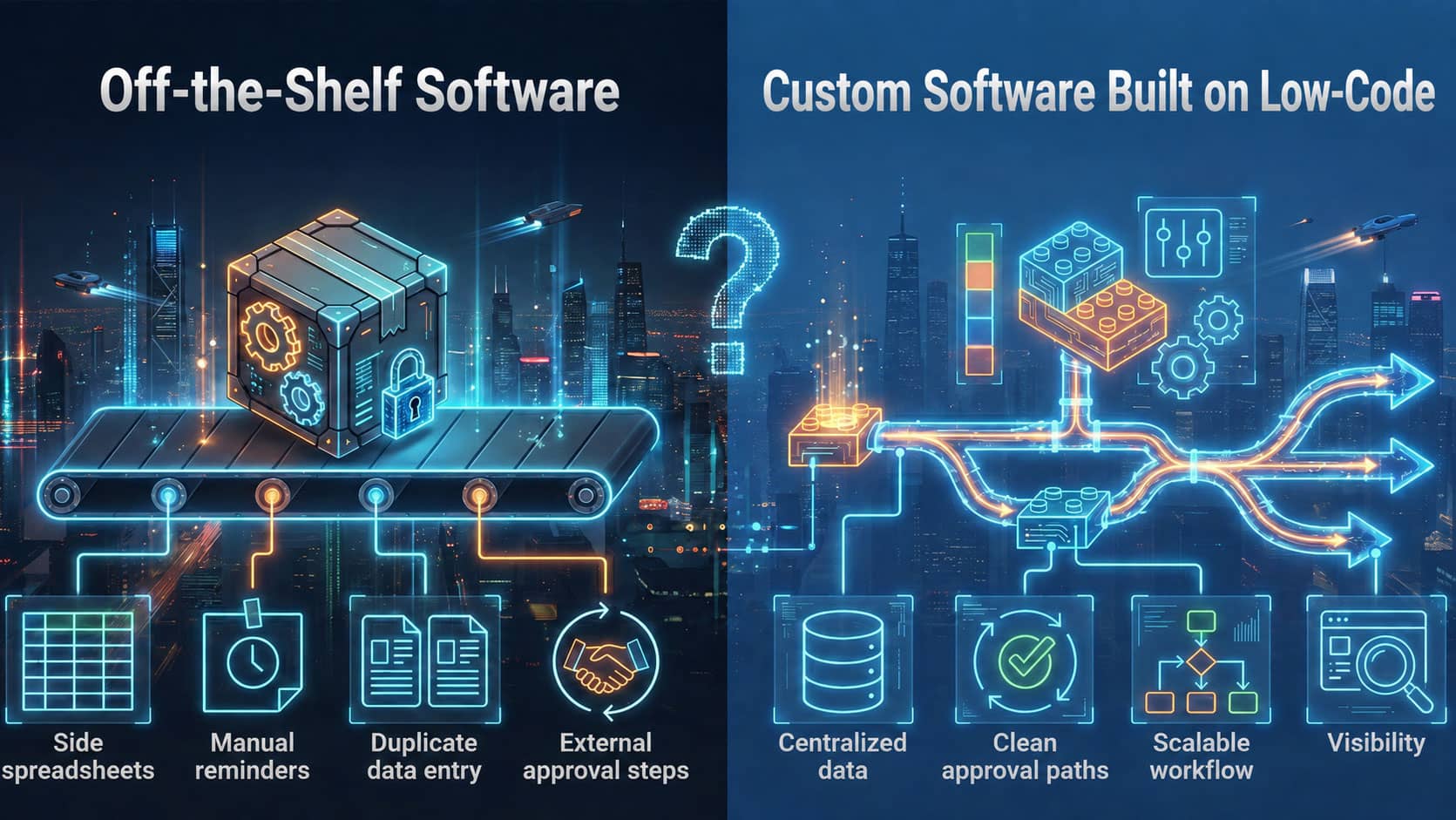
Connecting your existing tools to construction office workflow software is an option, but the first question is whether you still need all of them. If one custom platform can cover your estimating, scheduling, project tracking, and reporting, consolidating can make more sense than integrating. Keep and connect only the specialized tools that still do a job the platform cannot.
What Do We Ask Before Connecting Tools to Construction Office Workflow Software?
We always ask the same thing first: do you still need all of them? Tools pile up over time. A spreadsheet gets added for one job, an app for another, and soon nobody remembers why each one exists. Connecting every one of them just links the clutter together. The goal is to simplify how your business runs, not to connect every tool you have accumulated.
When Does Consolidating Make More Sense Than Integration?
Consolidating makes sense when one custom platform can handle your estimating, scheduling, project tracking, and reporting. That can reduce duplicate data entry, software costs, and time spent moving information between systems. Your team gets one place to work and one reliable source of information.
Every extra system is another place where a job number, quantity, or date can be typed in differently. Fewer systems give those numbers fewer chances to disagree. This is the kind of work custom construction workflow software takes on, replacing spreadsheets, paper forms, and disconnected tools for job tracking, approvals, scheduling, and field-to-office handoffs.
A single construction office workflow software platform also gives you one set of permissions to manage and one place to train new staff.
Which Tools Are Worth Keeping Connected to Construction Office Workflow Software?
Specialized tools that still serve a purpose are worth keeping, and integration makes sense for them. Accounting and payroll systems are common examples, because they follow their own rules and reporting needs. Tools tied to a specific piece of equipment or a specific technical task can be others.
Use these questions to decide whether a tool belongs alongside your construction office workflow software:
- Does this tool do something the custom platform cannot?
- Is anyone typing the same data here that is already entered somewhere else?
- Does the information in it need to reach the office or the field on a regular basis?
- Is the tool required by an outside party, such as a lender, owner, or auditor?
- What does it cost to keep, in both licenses and staff time?
How Do You Connect the Tools You Keep?
When you connect a tool to your construction office workflow software, start by deciding which system holds the master record for each kind of data. If job numbers, customer details, and cost codes live in two places, they will drift apart. Pick one owner for each, and let the other system read from it.
Keep data moving in one direction where you can. Begin with the handoff that causes the most re-typing today, and test it on real jobs before adding the next connection. Write down what each connection does and who maintains it, so it does not depend on one person’s memory.
If a spreadsheet is staying, decide whether it is a permanent part of the process or a temporary bridge. A spreadsheet that runs alongside the platform with no clear role can become an unofficial second source of truth.
If you are still weighing build versus buy, this comparison of custom software and off-the-shelf software for contractors covers the key factors.
Want Help Deciding Which Tools to Keep?
Schedule a discovery call and we will walk through the tools your office uses today. Together you can decide which to consolidate and which to connect to your construction office workflow software. Book a 30-minute discovery call.