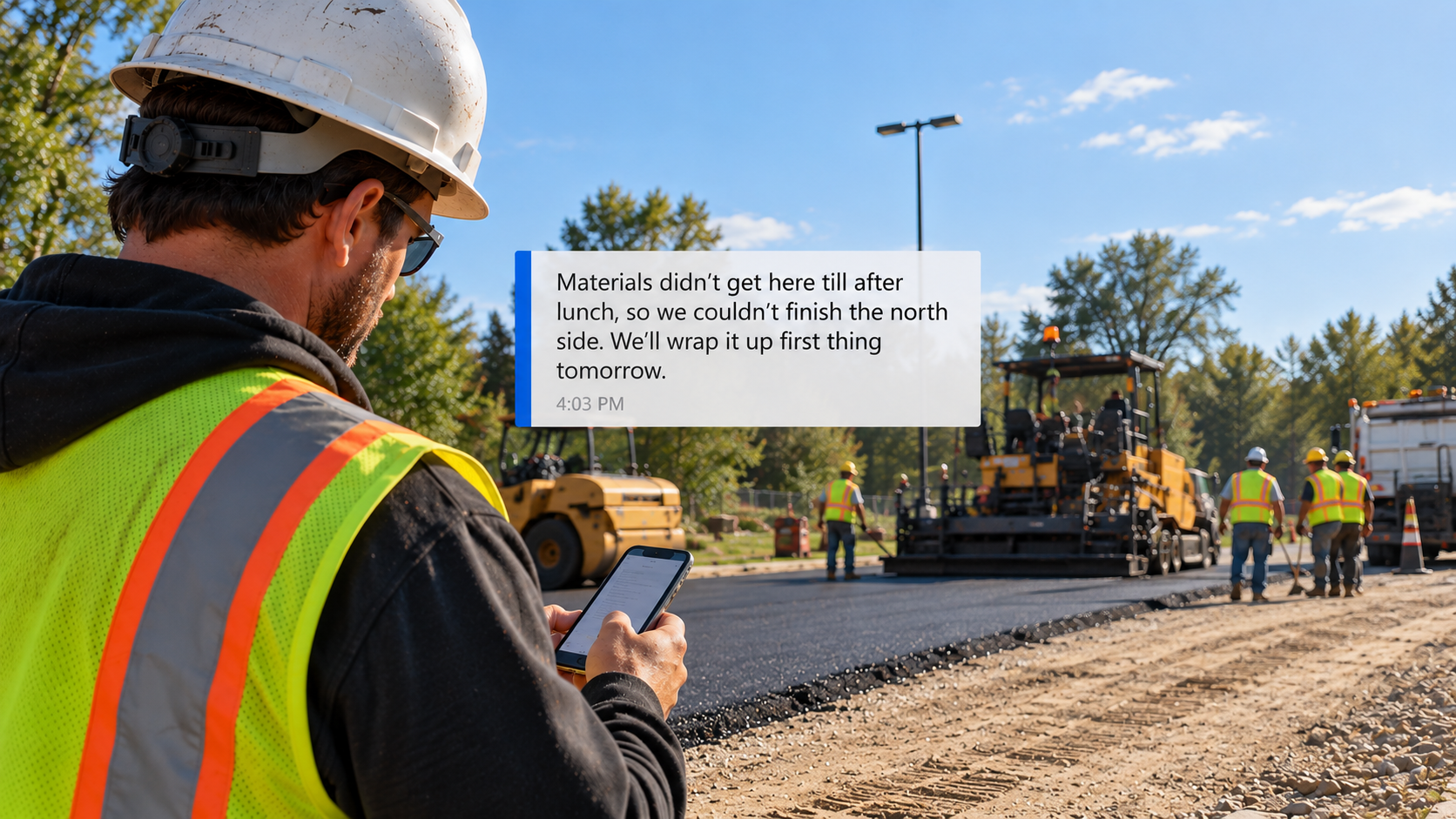
One text was supposed to change tomorrow’s plan.
“Materials didn’t get here till after lunch, so we couldn’t finish the north side. We’ll wrap it up first thing tomorrow.”
The foreman sent the text to the project manager before leaving the jobsite.
The next morning, the crew went back to finish the north side, just as the foreman planned. The scheduler, still working from the original plan, had already sent trucks and materials to the next job. The trucks and materials sat at the next job with no crew, and the office spent the morning reshuffling.
Everything the office needed was in the foreman’s text. The text never left the project manager’s phone. The scheduler never saw the text. Neither did the office manager or the bookkeeper.
If you run paving, concrete, site work, utility, sealcoating, or striping crews, that morning may sound familiar. The fix isn’t a better text. The fix is deciding what every field update includes and where every update goes.
What Is the Best Way to Get Progress Updates From Construction Field Crews?
Make the field update part of the crew’s end-of-day routine. Have every update include the same five things. Send each update to a single system of record the whole office can see, without anyone retyping the information.
Phone calls, texts, and paper field logs can work with a few jobs but get harder to manage with every crew you add.
Why Does Your Construction Office Keep Chasing Field Crews for Job Updates?
When a field update stops with one person, everyone else in the office has to go looking for the information. The scheduler texts the foreman. The bookkeeper calls the project manager. Checking with the field makes sense when a real conversation is needed. Asking again for facts the foreman already sent means your field-to-office communication is broken.
5 Things Every Construction Field Crew Update Should Include
Every daily update should include the five things your office would otherwise have to chase down. The list applies whether your crews are paving, milling, pouring concrete, grading, installing utilities, sealcoating, or striping.
1. Quantities Installed Today
Report tons placed, square yards paved, or linear feet installed. Measured quantities keep the construction schedule tied to what happened on site and tell the bookkeeper what is ready to bill.
2. Material Deliveries: Asphalt, Concrete, Aggregate, Sealer, or Paint
Late or short materials from your plant or supplier can push work to another day, move a crew to a different job, or trigger a reorder. The scheduler needs material status before assigning tomorrow’s crews.
3. Delays, Downtime, and Safety Incidents
Weather, equipment breakdowns, and waiting on materials all cost crew hours. Lost hours explain why a schedule slipped and whether labor costs are running over budget. A safety incident or near miss needs to reach the office the same day.
4. Extra Work Requested by the Owner, General Contractor, or Property Manager
Extra work requested on site needs a change order before billing. A change request buried in a text thread can go unbilled.
5. Crews, Trucks, Equipment, and Materials the Job Needs Tomorrow
At the end of the day, the foreman knows what the job needs next. Putting those needs in the update lets the scheduler assign crews, trucks, equipment, and materials before the next workday starts.
Why Do Construction Field Updates Get Lost Between the Jobsite and the Office?
Field updates arrive in too many places with too little detail. One update comes by text, another by phone, and another sits on a paper field log in someone’s glovebox. “Almost done” sounds complete on site, but the office needs to know what is finished, what is left, and what is in the way.
Even a clear daily report can stall. Someone copies the report into a spreadsheet, emails the project manager, and enters the same details into another system. Copying, emailing, and re-entering the same report is still a manual workflow.
A weather delay should reach the scheduler. A jobsite photo should stay with the right job. A change request should reach whoever writes the change order. Your crews are not the problem. Your process is.
What Does Chasing Field Crew Updates Cost a Construction Business?
Chasing field crew updates turns you into a full-time switchboard. Your day fills with calls and texts asking for information the crew already sent.
Your schedule runs on yesterday’s information, so crews, trucks, and materials get sent to work that isn’t ready. Your billing waits on paperwork, so finished work sits uninvoiced. Your job cost picture lags behind, so overruns and unapproved change orders surface after the money is spent. Meanwhile, your people are stretched thin answering the same questions. Our article on construction job cost tracking covers what happens when job cost information arrives too late.
If nothing changes, your business stays reactive. Every new crew adds more calls and texts, more retyping, and more chances for a job detail to slip. Your team should not have to hunt for information your crews already gave you.
Which Method Is Best for Getting Construction Field Crew Updates?
Every method gets the update out of the field. The difference is where the update ends up and who can see the information once the update arrives.
| Method | Where the update ends up |
|---|---|
| Phone calls | In the memory of whoever answered the phone |
| Text messages | In one person’s phone |
| Paper field logs | In a truck or on a desk until someone collects and retypes the log |
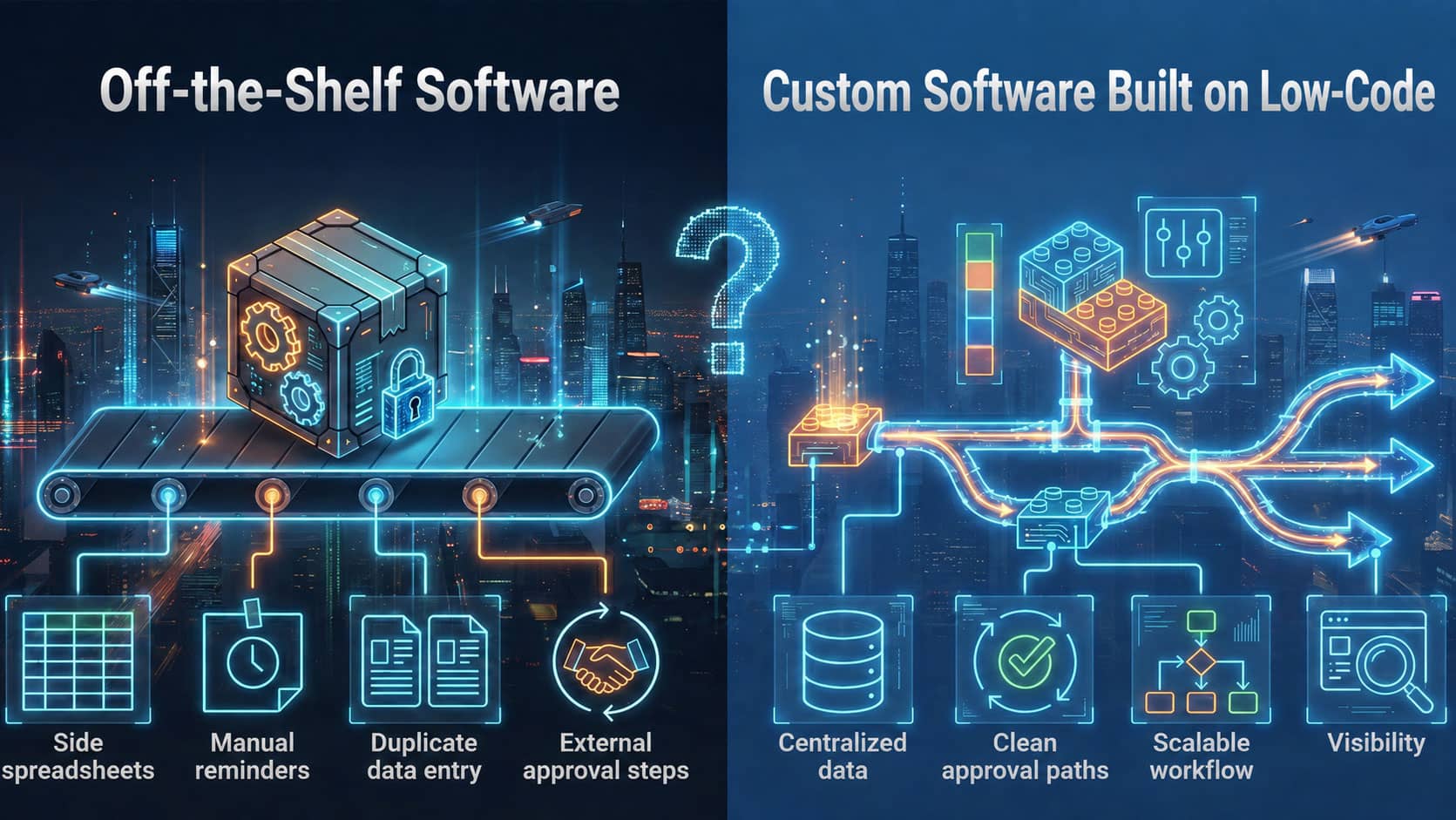
| Off-the-shelf app | In the app’s fields, which may not match how your office uses the information |
| Custom workflow software | In a single system of record the scheduler, project manager, office manager, and bookkeeper all see |
Did your crews stop using an app you tried? Ask whether the app fit how your crews and office actually work. For a deeper look, see custom software vs off-the-shelf software for contractors.
How Does DTIC Improve Field-to-Office Communication for Construction Contractors?
DTIC Rapid Development Solutions builds custom construction workflow software. A DTIC system gives the scheduler, project manager, office manager, and bookkeeper a single system of record for project status and job costs.
DTIC connects with the tools you already use, so teams do not need to change everything at once. Every system is built from your workflow, not a template, so your crews don’t have to change how they work to fit the software.
How Do Construction Contractors Get Started With DTIC?
DTIC follows the Rapid Launch Roadmap.
- Discovery Call. Discuss challenges, goals, and workflows.
- Custom Blueprint. DTIC outlines requirements tailored to your needs.
- Build and Review. DTIC builds quickly, reviews with you, refines, and you approve.
- Launch and Support. Go live and receive ongoing support as you grow.
Your time commitment is the discovery call and the review points. DTIC does the building.
What Changes When Construction Field Updates Reach the Whole Office?
You know project status on every job without calling or texting anyone. Tomorrow’s crews, trucks, and equipment get assigned the night before, based on what happened today. Finished work gets billed without waiting on paperwork, and change orders get written while the extra work is still fresh. Your crews stop answering the same questions twice.
Try This: Track One Field Crew Update From Jobsite to Office
Tomorrow, pick one active job and watch what happens to the foreman’s end-of-day update. Then ask your team four questions:
- Who in the office received the foreman’s update?
- Who needed the jobsite information but never got the update?
- Did anyone retype the update into a spreadsheet or another system?
- Did anyone still call or text the foreman the next morning for a job update?
A missed person, a retyped update, or an extra call or text means your workflow is redoing work your crews already did.
Frequently Asked Questions
What should a construction field crew update include?
A construction field crew update should include five things: quantities installed, material deliveries, delays and safety incidents, extra work requested on site, and the crews, trucks, equipment, and materials the job needs tomorrow.
What is the best way to get daily updates from construction field crews?
Make the update part of the crew’s end-of-day routine. Include the same five things every day, and send each update to a single system of record the whole office can see.
How do paving and site work contractors get crews to send daily updates?
Limit the update to the five things, nothing more. Stop calling or texting crews for anything already in the update. The daily update then replaces the follow-up calls and texts.
Do construction contractors need construction management software to track field progress?
Not necessarily. Contractors need a reliable path from the field to the office. The path can be an off-the-shelf app or custom construction workflow software.
How much does custom construction workflow software cost?
Each build is scoped to your workflow. After the discovery call, DTIC provides an in-depth outline, schema, and estimate.
How long does custom construction workflow software take to build?
After the estimate is approved, many platforms launch within a couple to several months.
Will custom construction workflow software work with the tools we already use?
Yes. In most cases, DTIC connects the new system to the apps you already use, so nothing breaks.
Do construction field crews need to be technical to use custom workflow software?
No. Your team gets an intuitive interface. DTIC handles the technical details.
Stop Being the Switchboard
Your crews already know what happened on the job today. Your office should too.
Schedule a discovery call and let’s talk through your workflow.